
FramePulse · For DaVinci Resolve Studio
Your export, within reach.
Follow your export from a phone or another browser. FramePulse connects a Windows plugin inside Resolve Studio to a read-only monitor link—without transferring your footage.
Viewers can check status, not start, stop or change your render. You keep control at the workstation.
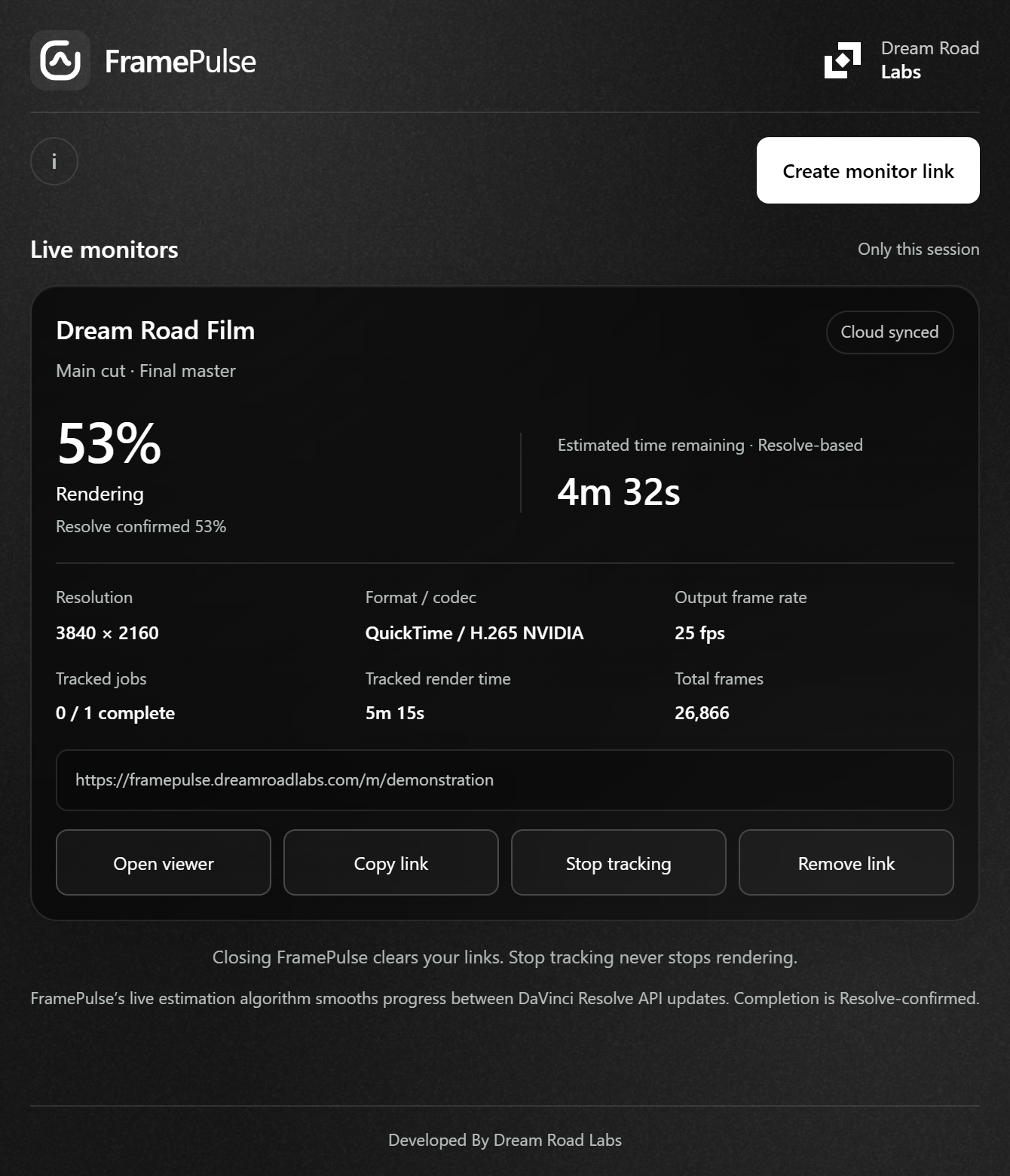
From setup to a shared view.
Install
Run the Windows setup and check the local Resolve Studio component. No separate Node.js installation is needed.
Open
In Resolve Studio, choose Workspace → Workflow Integrations → FramePulse with your project open.
Create a link
Review the sharing disclosure, create a monitor link and open it on your other device. Share only with people you want to see the status.
Export
Render normally in Resolve. Keep FramePulse open, the tracked project active and the workstation online.
Know what the status means.
- Waiting
- The monitor is ready but has not observed an active render. Start the export in Resolve, not in the viewer.
- Rendering
- An active job is being tracked. Progress and remaining time are estimates between native Resolve updates.
- Completed
- Resolve has confirmed completion. Only that native confirmation allows FramePulse to show 100%.
- Offline
- The viewer keeps the last received snapshot without advancing it. A lost connection does not prove the render failed.
Read the numbers in context. Output video FPS is the export's frame rate, not render speed. Time remaining describes the current job, not the whole queue. Tracked duration excludes unobserved pauses or gaps and may differ from Resolve's wall-clock duration.
Polling cannot force Resolve's API to publish a fresh value. Browser sound also depends on a user gesture to enable audio and on browser restrictions; do not rely on a background alert.
Why readings can differReady for your workstation?
- Windows 10 or Windows 11, x64.
- DaVinci Resolve Studio with Workflow Integration support—not the free edition.
- The local
WorkflowIntegration.nodeSDK module from your Resolve Studio installation. - Administrator approval for installation in the system plugin directory.
- Internet access for live monitoring. No separate Node.js runtime required.
Current Windows setup
v0.1.1
Windows 10/11 x64 · Unsigned setup
The native release is for Windows. A browser on a Mac, phone or tablet can view a monitor link; that is not a macOS plugin release.
Windows may show an unknown-publisher warning. Install only if you trust the official source. Close FramePulse before updating; do not restart Resolve during a render.
Read installation and update guidanceBefore your first link.
Does it work with free DaVinci Resolve?
No. The native plugin requires DaVinci Resolve Studio with Workflow Integration support and its local SDK module.
Does the viewer need an app or account?
No phone app or viewer account is needed. Open the monitor link in a browser on a phone, tablet or another computer.
What is shared, and who can see it?
Anyone with the link can see normalized project and timeline names, approved render settings and status metrics. Footage, output paths and writer credentials are not exposed. Treat the URL as access to that information. See the privacy information.
Do I need to keep FramePulse open?
Yes, for live updates. Keep the tracked project active and the workstation connected. Closing FramePulse clears its process-only links; old viewers retain their last offline snapshot. Closing or removing tracking does not cancel your Resolve render.
How long does a link last?
Each link expires seven days after creation. Create a new link for later work. Closing FramePulse does not extend or renew an old link.
Why do progress and timing differ from Resolve?
Resolve's API readings can lag behind its interface. FramePulse estimates between received readings and reconciles new information. Fast exports or changes in speed can create differences; completion is never guessed. See readings explained.
Release notes.
What's new in v0.1.1
- FramePulse now checks for new versions when it opens and shows what changed before you download an update.
- A clearer Windows installer preserves your local Resolve component and keeps your renders untouched.
- The redesigned Dream Road Labs website uses screenshots captured from the actual FramePulse interface.